
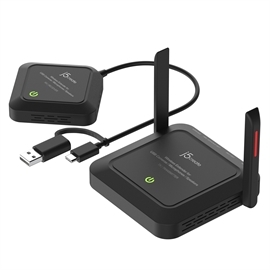
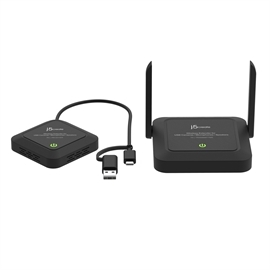
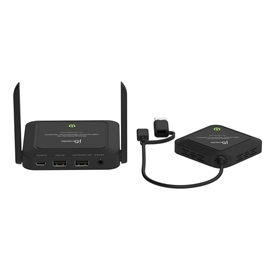
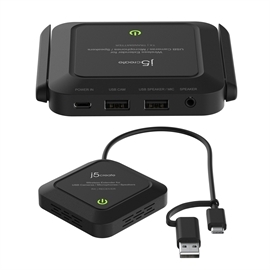
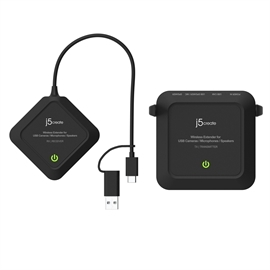
j5create AC JVW120 Wireless Extender for USB Cameras / Microphones / Speakers Retail
| Status: | Available |
| SKU: | 302157 |
| Vendor: | j5create |
| MPN: | JVW120 |
| UPC: | 847626006210 |
| EAN: | NO |
|
Wireless Extender for USB™ Cameras / Microphones / Speakers A Wireless Extender for USB™ Cameras helps eliminate cables for your USB™ camera and reduce visual clutter in your video conferencing, streaming, or broadcasting setup Model: JVW120 The j5create Wireless Extender for USB™ Cameras / Microphones / Speakers turn your wired USB™ camera into a wireless one. With a wireless transmission range of up to 82 ft. (25m) users can extend the range of their wired USB™ camera without having to deal with tangled cables regardless of the room layout. In addition to transmitting both video and audio wirelessly this compact and lightweight camera extender works with Windows®, macOS®, and Chrome OS™ devices, making it a great addition to any meeting room, streaming setup, and other similar environments. Create A Wireless Conference Easily Converts a wired USB™ camera, microphone, or speaker into a wireless one Enhanced the Field of View Place the camera farther away for wide field of view. Ensure every parcipant is seen with clarity The Perfect Mate For A High Resolution Camera Supports resolution up to 1080p@60 and 4K@30 in H.264 format or 1080p@30 in MJPEG format Up to 82 ft (25m) Wireless Transmission Distance Supports 5 GHz frequency to ensures a stable connection and smooth video Comes With A USB-C® And USB™ Type-A Connector Works with both your older and newer laptops Plug And Play, No Driver Installation Required For Windows®, macOS®, and Chrome OS™ Audio Switch For Enables Or Disables Audio Stream Transmission Quickly Suitable For Conference, Personal Streaming, Online Learning, and other environments Compatible with all j5create® and other standard webcam models |
|
| Hardware Audio ON/OFF Switch RX/Receiver: Located on the RX devices bottom side, the "Audio ON/OFF switch" quickly enables or disables audio -Switch to ON: enables audio -Switch to OFF: disables Host Connector RX/Receiver: USB-C or USB Type-A port Infared N/A Led Indicators TX/Transmitter, RX/Receiver: - Red: Power on - Orange: Waiting to connect Note: TX and RX are connected, but the USBTM camera or USBTM Speaker/Microphone are not connect to TX USBTM port - Orange flashing light: TX / RX pairing - Green: TX / RX connected, and TX USBTM camera is enabled. Pair Button - Pair Button If TX are RX devices are close together but, the TX and RX devices LEDs are red and or if they disconnect, please try turning on "pairing mode". To turn on paring mode find the Pair button located on the bottom side of TX and RX device, push and hold the TX and RX devices pairing button 5 seconds, the power LED will change orange and will blink for 1 minute. If TX and RX device are paired, the LED will turn green and will stop blinking. Ports TX/Transmitter: 1 - USB-C Power In 1 - USBTM Type-A Female (Camera) 1 - USBTM Type-A female (Speaker/Microphone) 1 - 3.5 mm Speaker Out Power Source TX Transmitter: 1 - DC 5V/3A Power Adapter RX/Receiver: 1 - Bus Power through USB-C |
Performance Audio Channel 2.1 CH stereo Esd Protection N/A Infared Return Frequency N/A Ovp Protection N/A Rf Output Power +15 dBm +/-1 dBm Security - Encryption 128/256-bit AES based encryption WPA2 authentication protocol Supported Resolution - Output H.264: 2160p / 1080p / 720p / 480p / 240p at 30 FPS 1080p at 60 FPS MJPEG: 1080p / 720p / 480p / 240p at 30 FPS YUV: 1080p / 720p / 480p / 240p |